Add N1netails Client
Install
Install the telegram client by adding the following dependency:
<dependency>
    <groupId>com.n1netails</groupId>
    <artifactId>n1netails-telegram-client</artifactId>
    <version>0.3.0</version>
</dependency>
Gradle (Groovy)
implementation 'com.n1netails:n1netails-telegram-client:0.3.0'
Configure
Here is how you can configure the project for different frameworks
Spring Boot
Add the following beans to your spring boot application:
import com.n1netails.n1netails.telegram.api.TelegramClient;
import com.n1netails.n1netails.telegram.internal.TelegramClientImpl;
import com.n1netails.n1netails.telegram.service.BotService;
import org.springframework.context.annotation.Bean;
import org.springframework.context.annotation.Configuration;

@Configuration
public class TelegramConfig {

    @Bean
    public BotService botService() {
        return new BotService();
    }

    @Bean
    public TelegramClient telegramClient(BotService service) {
        return new TelegramClientImpl(service);
    }
}
Java
import com.n1netails.n1netails.telegram.internal.TelegramClientImpl;
import com.n1netails.n1netails.telegram.service.BotService;

BotService service = new BotService();
TelegramClient client = new TelegramClientImpl(service);
Use
import com.n1netails.n1netails.telegram.api.TelegramClient;
import com.n1netails.n1netails.telegram.internal.TelegramClientImpl;
import com.n1netails.n1netails.telegram.model.Button;
import com.n1netails.n1netails.telegram.model.InlineKeyboardMarkup;
import com.n1netails.n1netails.telegram.model.TelegramMessage;
import com.n1netails.n1netails.telegram.service.BotService;

import java.util.Arrays;
import java.util.Collections;

public class ExampleService {
    private final TelegramClient telegramClient;

    public ExampleService() {
        this.telegramClient = new TelegramClientImpl(new BotService());
    }

    public void telegramNotificationExample(String content) throws TelegramClientException {
        Button button = new Button("Visit N1netails", "https://n1netails.com");
        InlineKeyboardMarkup keyboardMarkup = new InlineKeyboardMarkup(Collections.singletonList(Collections.singletonList(button)));
        TelegramMessage telegramMessage = new TelegramMessage("N1netails Telegram Works!", false, keyboardMarkup);
        // replace with your telegram chat id
        String chatId = "your-telegram-chat-id";
        // replace with your telegram bot token
        String botToken = "your-telegram-bot-token";
        telegramClient.sendMessage(chatId, botToken, telegramMessage);
    }

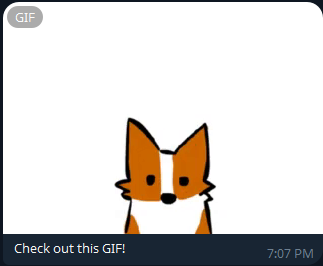
    public void telegramGifNotificationExample() throws TelegramClientException {
        TelegramMessage telegramMessage = new TelegramMessage("Check out this GIF!", "https://media1.giphy.com/media/v1.Y2lkPTc5MGI3NjExaDRhOWtpMnVsM2NiMzJ4aXpoOXpuamZzcHpudG4zbzIzenVlaHN0eSZlcD12MV9pbnRlcm5hbF9naWZfYnlfaWQmY3Q9Zw/xsE65jaPsUKUo/giphy.gif", false);
        // replace with your telegram chat id
        String chatId = "your-telegram-chat-id";
        // replace with your telegram bot token
        String botToken = "your-telegram-bot-token";
        telegramClient.sendMessage(chatId, botToken, telegramMessage);
    }

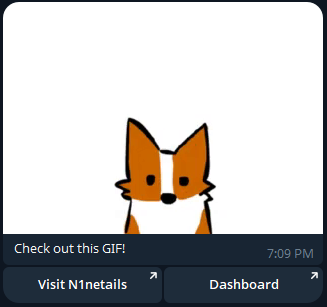
    public void telegramGifNotificationWithCtaButtonsExample() throws TelegramClientException {
        Button button = new Button("Visit N1netails", "https://n1netails.com");
        InlineKeyboardMarkup keyboardMarkup = new InlineKeyboardMarkup(Collections.singletonList(Collections.singletonList(button)));
        TelegramMessage telegramMessage = new TelegramMessage("Check out this GIF!", "https://media1.giphy.com/media/v1.Y2lkPTc5MGI3NjExaDRhOWtpMnVsM2NiMzJ4aXpoOXpuamZzcHpudG4zbzIzenVlaHN0eSZlcD12MV9pbnRlcm5hbF9naWZfYnlfaWQmY3Q9Zw/xsE65jaPsUKUo/giphy.gif", false, keyboardMarkup);
        // replace with your telegram chat id
        String chatId = "your-telegram-chat-id";
        // replace with your telegram bot token
        String botToken = "your-telegram-bot-token";
        telegramClient.sendMessage(chatId, botToken, telegramMessage);
    }

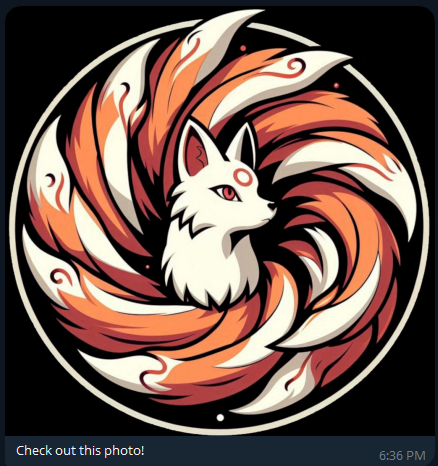
    public void telegramImageNotificationExample() throws TelegramClientException {
        TelegramMessage telegramMessage = new TelegramMessage();
        telegramMessage.setText("Check out this photo!");
        telegramMessage.setImages(Collections.singletonList("https://n1netails.com/img/n1netails_icon_transparent.png"));
        // replace with your telegram chat id
        String chatId = "your-telegram-chat-id";
        // replace with your telegram bot token
        String botToken = "your-telegram-bot-token";
        telegramClient.sendMessage(chatId, botToken, telegramMessage);
    }

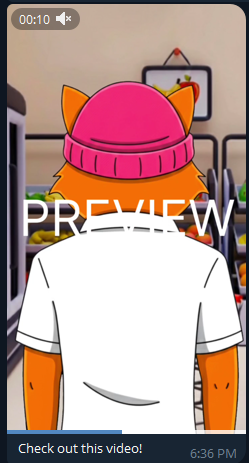
    public void telegramVideoNotificationExample() throws TelegramClientException {
        TelegramMessage telegramMessage = new TelegramMessage();
        telegramMessage.setText("Check out this video!");
        telegramMessage.setVideos(Collections.singletonList("https://n1netails.nyc3.cdn.digitaloceanspaces.com/video_2026-02-11_18-16-07.mp4"));
        // replace with your telegram chat id
        String chatId = "your-telegram-chat-id";
        // replace with your telegram bot token
        String botToken = "your-telegram-bot-token";
        telegramClient.sendMessage(chatId, botToken, telegramMessage);
    }

    public void telegramMediaGroupNotificationExample() throws TelegramClientException {
        TelegramMessage telegramMessage = new TelegramMessage();
        telegramMessage.setText("Check out these photos and videos!");
        telegramMessage.setImages(Arrays.asList("https://n1netails.com/img/n1netails_icon_transparent.png", "https://n1netails.com/img/quickstart/n1netails-letter.jpg"));
        telegramMessage.setVideos(Collections.singletonList("https://n1netails.nyc3.cdn.digitaloceanspaces.com/video_2026-02-11_18-16-07.mp4"));
        // replace with your telegram chat id
        String chatId = "your-telegram-chat-id";
        // replace with your telegram bot token
        String botToken = "your-telegram-bot-token";
        telegramClient.sendMessage(chatId, botToken, telegramMessage);
    }
}
📌 Note: Media (images, videos, animations) must be provided as public URLs. Telegram does not support
replyMarkup(CTA buttons) when sending multiple media items (Media Group) you can add CTA button with one image or video.
Example message output

Example message GIF output
Example message GIF with CTA Buttons output
Example message Image output
Example message Video output
Example message Media group output